Virtual staging for listing agents
Turn empty rooms into better listing photos.
Upload a listing photo. Get a furnished version in about a minute, while the room’s walls, windows, floors, built-ins and viewpoint stay as photographed.
3 rooms · 7 days · no card · 2 revisions per trial room
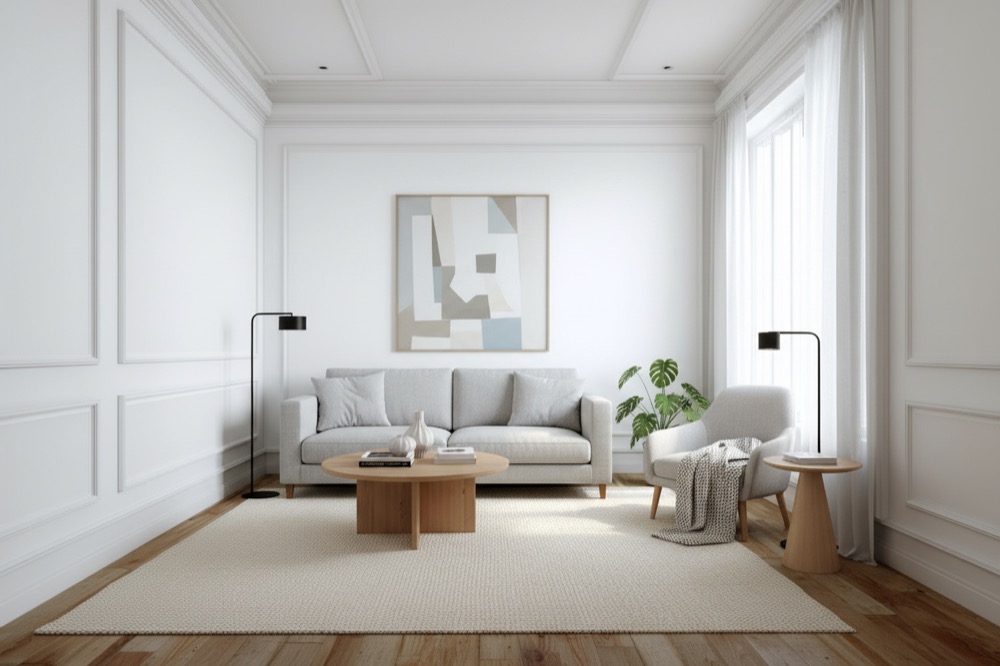
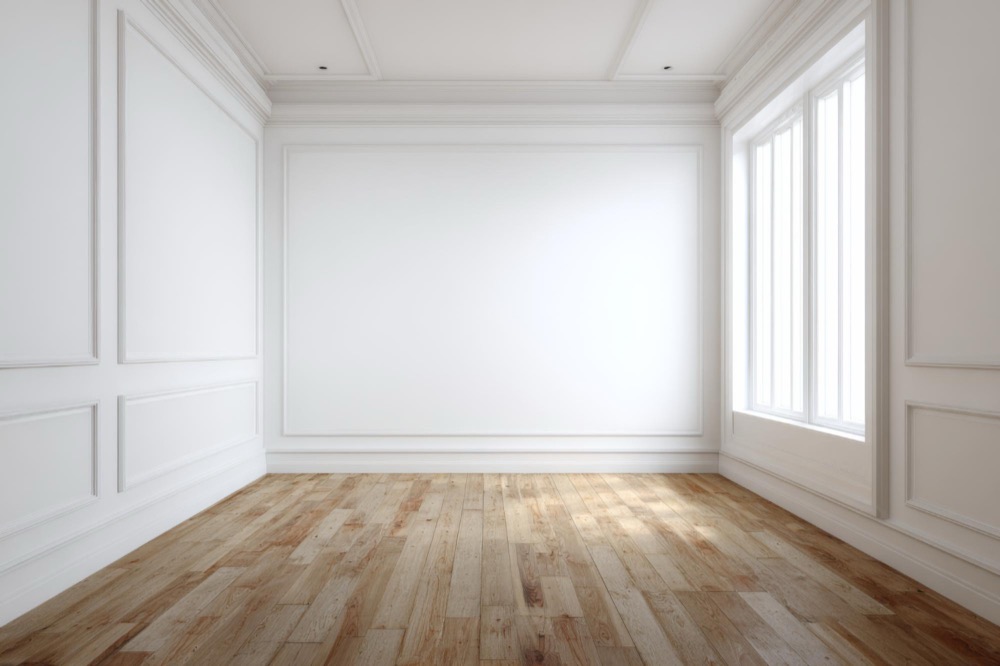 Original photoVirtually staged
First render
~1 min
Start with a photo already in your listing folder or camera roll.
Trial
3 rooms
Free for 7 days with no card, 2 revisions each. Try it on real listing photos before choosing a paid plan.
Revisions
Up to 10
Paid plans let you refine a staged photo without using another room credit.
Help buyers picture the room before the showing.
An empty photo documents the space. A furnished version gives it scale and purpose while keeping the property details buyers will see in person.
Empty photo
Shows the room, but not how it lives.
Buyers can see the dimensions, yet may struggle to picture furniture, flow, or the room’s intended use.
Staged photo
Gives the space useful context.
Furniture makes the room easier to read without changing its walls, windows, floors, or viewpoint.
Give the room a direction. Keep the choices simple.
Pick the look, decide how furnished it should feel, and add measurements only when you have them.
Style
Choose a look that fits the property.
7 distinct furniture directions, from Scandinavian to Art Deco. Each carries its own palette, materials, and room-appropriate pieces — which is why Art Deco returns brass and jewel tones rather than the same gray sofa with a filter on it.
- ModernClean lines, neutral palette, low-profile pieces.
- ScandinavianLight woods, soft textiles, airy and bright.
- IndustrialRaw metal, leather, exposed materials.
- Boho ChicLayered textures, plants, a warm eclectic mix.
- MinimalistPared-back and calm — only the essentials.
- MediterraneanWarm plaster tones, arches, natural stone.
- Art DecoBold geometry, jewel tones, brass accents.
Furnishing
Set the level, then compare versions.
Minimum, Balanced, or Maximum — and it is relative to the style, never absolute. Minimalist at Maximum comes back as a fully realized minimalist room, not a cluttered one. Change the level later without spending another credit on the same room.
Both plates are the same photograph, the same Modern style, one minute apart. The only thing that changed was this dial.
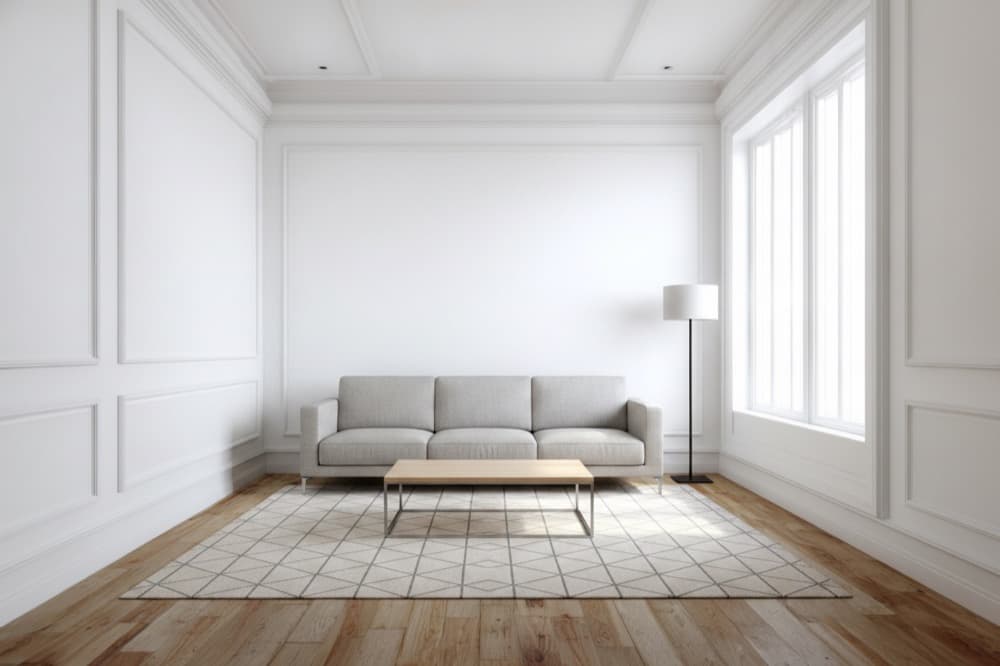
Modern · Minimum
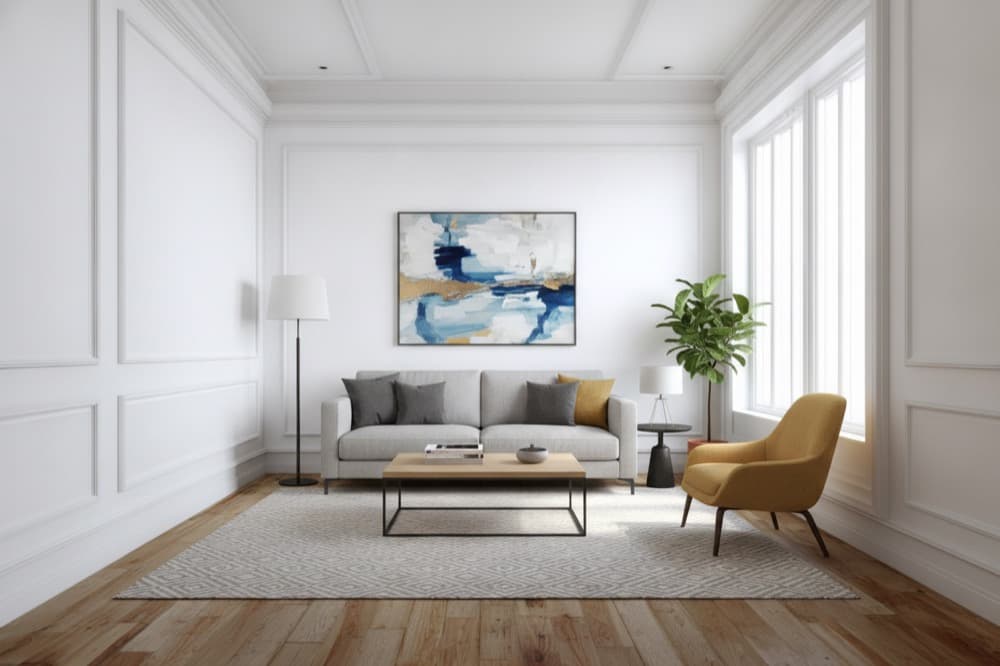
Modern · Balanced
Room size
Keep the furniture in scale.
Add the width and length from the listing sheet, in feet or meters. Sparkstager turns them into furniture guidance before it stages the photo — the image model has no sense of a meter, but it does know what a queen bed and an 8×10 rug are.
Optional, and correctable: a mistyped measurement is fixed by revising the photo, not by paying for it again. Leave it blank and pieces are sized from the photograph alone.
A furnished listing image in three steps.
- 01
Upload the room
Straight off the camera roll or the photographer’s folder. We check the photo before it uses a room credit and flag one that will not stage well.
- 02
Choose the direction
Style is required. Furnishing level and room size are available when you need more control.
- 03
Review the result
Your first version arrives in about a minute. Revise it with a style, furnishing, or furniture note — up to 10 times per photo, none of them metered.
We stage the room. We do not change the property.
Walls, windows, floors, built-ins, and your camera angle stay as photographed.
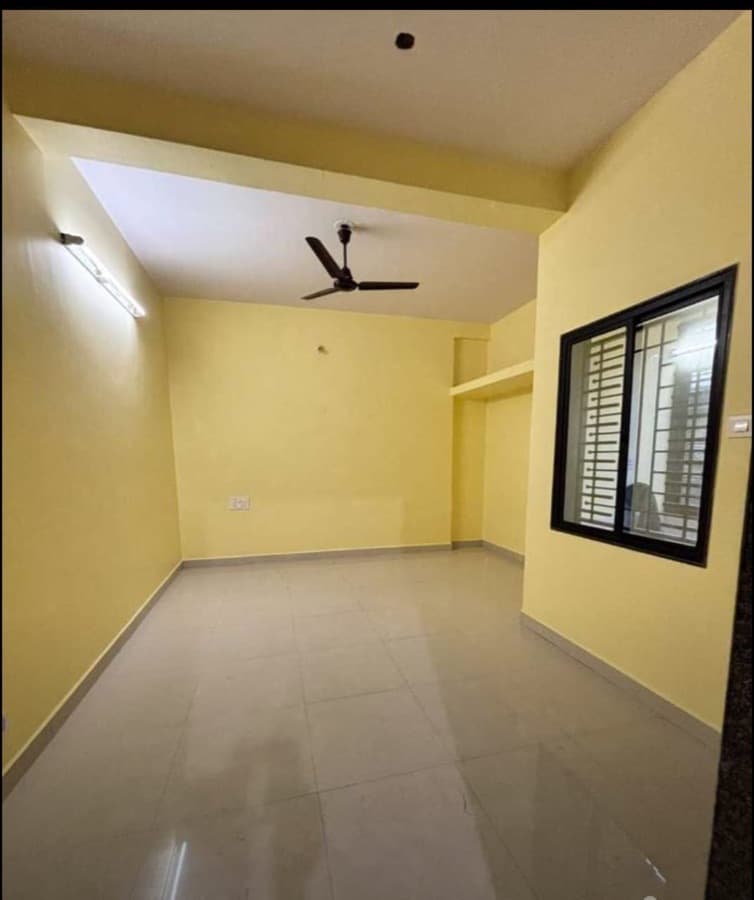
Original phone photo
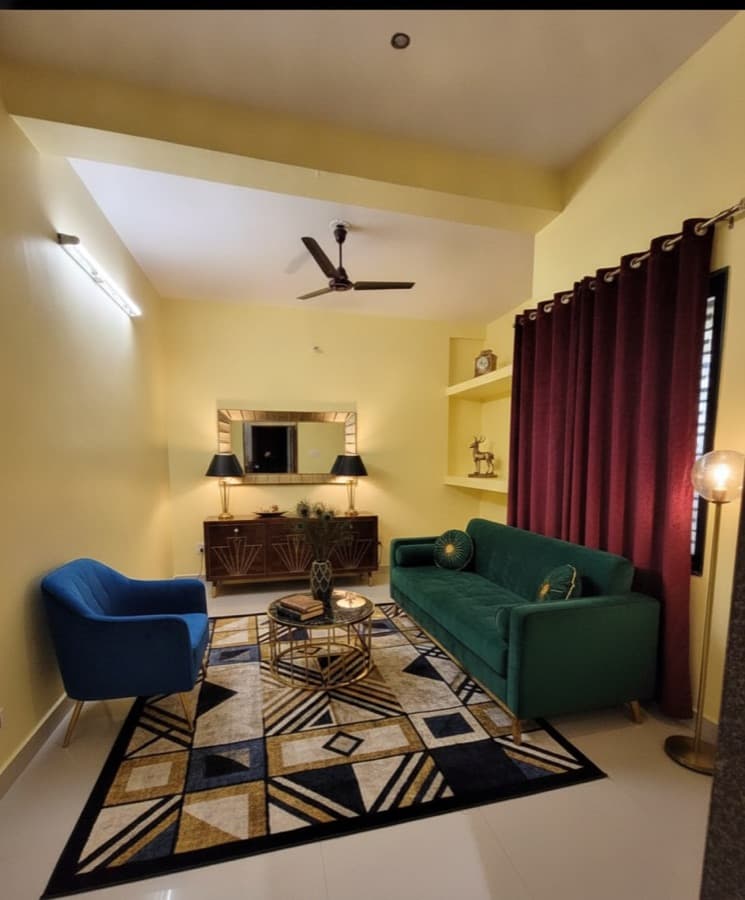
Virtually staged
Compare the two photos
The yellow walls, tile, ceiling fan, wall light, and alcove shelf stay in place.
- Same structure
- Walls, ceilings, doors, and built-ins.
- Same windows
- Frames, grilles, and the view.
- Same floors
- Boards, tile, or carpet.
- Same viewpoint
- Camera angle, lens, and light.
Choose the room volume that fits your listing work.
Start with 3 rooms free for 7 days. When you need more, choose a monthly plan or save 20% with annual billing. A room is one photo staged; revising a room you have already staged is free.
Annual billing — charged once a year
Starter
For an agent listing a handful of properties a month.
$15 / month
$182 billed annually
- 25 staged photos / month
- 10 revisions per photo
- Email support
Pro
Most listingsFor a full-time agent or a small team with a steady pipeline.
$39 / month
$470 billed annually
- 75 staged photos / month
- 10 revisions per photo
- Priority support
Enterprise
For brokerages and photography teams staging at volume.
Custom
Priced on your volume
- Custom monthly room volume
- Multiple seats on one account
- Priority turnaround
- Named point of contact
- Invoicing and annual terms
Cancel any time. Your access continues until the end of the period you have paid for. Compare every feature.
Questions before you stage a room.
Can I use this in a listing?
Yes, with disclosure. Several US states require a virtually staged photo to be labeled as such, so check the rules for your market — the download step can burn a short line, “Virtually Staged” by default or your own wording, into the corner you choose. Your local board or MLS sets the exact rule; we give you the tool, not the legal advice.
What kind of photo works?
Use an empty or nearly empty listing photo. Phone photos work, and straight-on angles are best when available. Sparkstager reads the room before it stages anything and tells you if a photo will not stage well — a dark, cluttered or unreadably wide shot — before you spend a room on it.
Will it remove furniture?
No. Sparkstager is for adding staging furniture. It does not remove existing furniture or edit the property — and that is the whole boundary: tools that also swap skies and straighten walls are editing the building, and the difference turns up at the showing rather than in the thumbnail.
What happens to my photos?
They remain available in your projects, and they are removed from storage when you delete the project or the staged room — the original and every render, not just the listing screen. Deleting every project therefore removes every photograph you have uploaded.
Ready to stage a listing?